
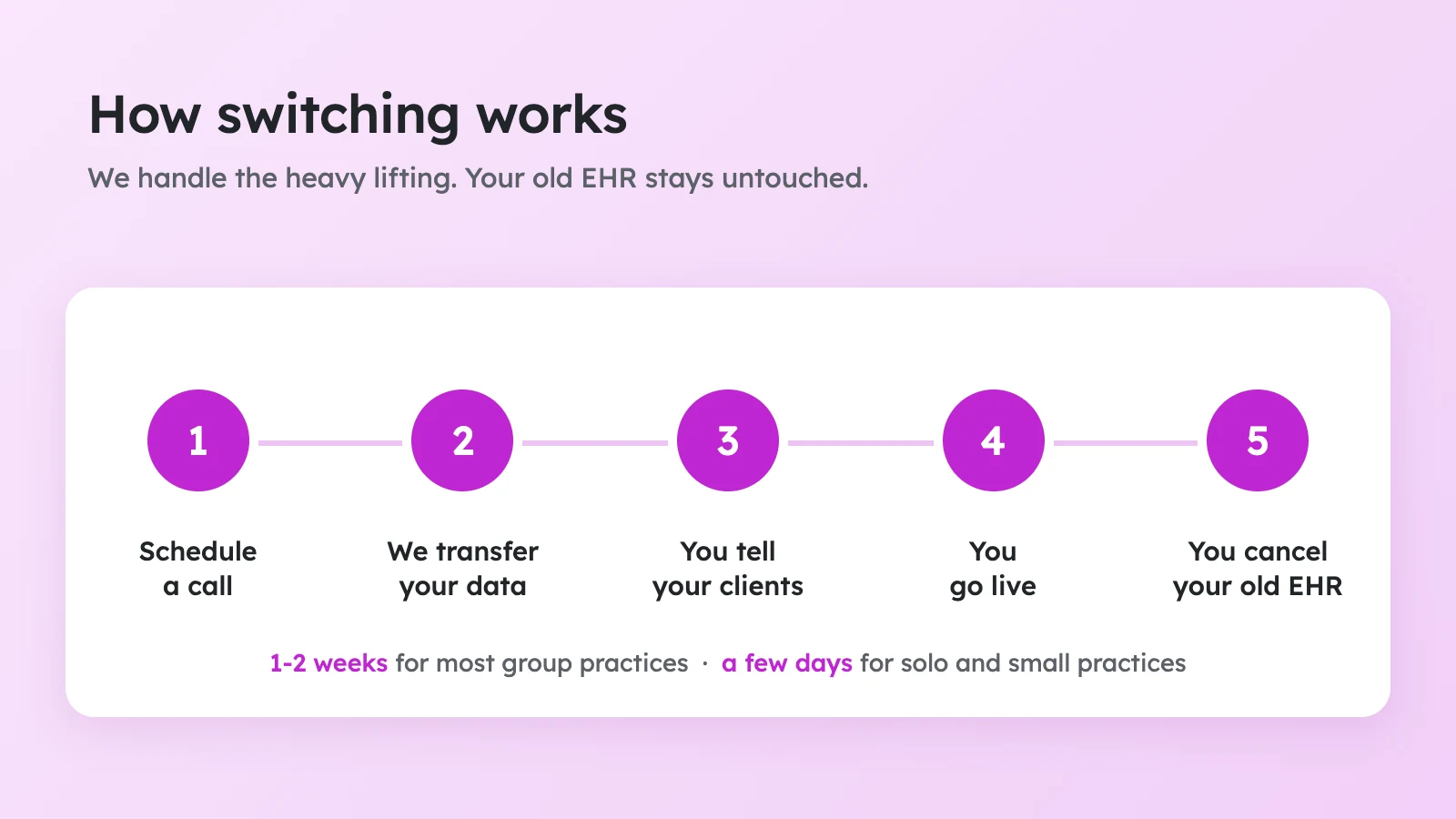
Switching EHRs has a reputation for being painful. Exporting files, importing them somewhere else, retraining a whole team, and worrying about what might get lost along the way. We built our switching process so that you don't have to carry most of that.
There are two ways to switch to Practicepicnic, and both are free. Done-for-you migration is for group practices with 5 or more clinicians. Guided onboarding is for solo and small practices. Either way, a real person is there to help, by email and by phone, from your first call until you're settled in.
The two ways to switch
| Done-for-you migration | Guided onboarding | |
| Best for | Group practices with 5+ clinicians | Solo and small practices |
| Who does the work | We do. We copy your data over and set up your team. | You run our automated import tool, with our step-by-step guide and a person on call. Usually just a few hours of work. |
| How long | Typically 1-2 weeks, depending on the size of your group | Typically a few days |
| Support | A dedicated account manager, plus email and phone | Email and phone |
| Cost | Free | Free |
Done-for-you migration
If you run a group practice with 5 or more clinicians, we handle the switch for you. You'll work with a dedicated account manager from your first call. Here's what happens.
1. We put a BAA in place
Before we do anything else, we put a HIPAA Business Associate Agreement in place with you. Your clients' information is protected from the very first step.
2. You give us access to your current EHR
You'll typically add us as a practice manager on your current EHR. That is usually all we need from you to get started.
3. We copy your data over
We copy your data into Practicepicnic while you keep using your current EHR as normal. Nothing in your existing EHR is changed or removed, and you can keep using it for as long as you need to.
We bring over:
- Client records, including contact info and demographics.
- Progress notes and treatment plans.
- Templates, consents and intake forms.
- Appointments, past and upcoming.
- Billing history.
4. We set up Practicepicnic for your team
We set up your practice, give your team access, and provide training materials and videos so your clinicians can learn the system at their own pace. We're on call to help until the transition is over. If it's useful, we can also schedule an onboarding call with your whole team.
5. You pick your go-live date
You're in control the whole time. We recommend picking a hard-transition date so everyone knows when the switch happens, and we're on call to help you get there.
6. You tell your clients
We'll help you announce the move to your clients and collect their card details on the new system. See the section on saved credit cards below.
7. You cancel your old EHR
Once you're happy, cancel your old EHR and stop paying for it.
How much time it takes
For the practice owner or admin, it usually takes a few hours in total. We really do handle the rest. Your main job is to help your clinicians learn the new system, and we support you with training material and hand-holding along the way.
The 1-2 weeks a typical group takes isn't mostly data transfer. Training and onboarding your team is the most time-consuming part, and it's where most of the time goes. Here are typical timelines by practice size:
| Practice size | Typical time to fully switch |
| Solo | 1-2 days |
| 2-5 clinicians | 3-4 days |
| 6-10 clinicians | 1-2 weeks |
| 11-30 clinicians | 2-3 weeks |
| 30+ clinicians | 3-6 weeks |
Guided onboarding
If you're a solo or small practice, you can switch yourself using our import tool, and we guide you through it. The import is automated, so there's no retyping and no manual data entry. It usually takes just a few hours of your time, while with done-for-you migration, we do the migration work for you.
- We send you our migration guide. It walks you through exporting your data from your current EHR, step by step.
- You upload your export to our import tool. In Practicepicnic, go to Settings → Import Data and upload your files in one step. For example, most people moving from SimplePractice finish their part in about 20 minutes, plus a short wait while SimplePractice prepares the export.
- The import runs automatically. Your data typically transfers in a day or two, and we check the results before your import is marked complete.
- We're on call by email and phone. If you get stuck at any point, or you'd like to do it together, we can schedule an onboarding call.
What comes over
Whichever way you switch, we bring over client records, contact info and demographics, progress notes, treatment plans, templates, consents and forms, appointments and billing history. That's the record of your practice, so you aren't starting from scratch.
We can bring your data over from SimplePractice, TheraNest / Ensora Health, TherapyNotes, CounSol, Jane, TherapyAppointment, TherapyZen, Acuity, Charm EHR, DrChrono EHR, IntakeQ, Sessions Health and Practice Better. If your current system isn't on that list, tell us. We can set up a custom import and help you export from it. The export steps for each system are in our help center, and there's more about moving from SimplePractice in this article.
The one thing that doesn't come over: saved credit cards
For security, saved credit cards can't be transferred from one system to another. Your clients will need to add their card again. We make it easy, and we help you with the whole process.
Here's how it works:
- We send your clients an announcement. After your client list is in Practicepicnic, we send your active clients an announcement about the move to a new system, with a message of your choosing. The default message is below.
- The same email has a demographic form and a card form. Clients click through to confirm their contact info and add their billing info.
- We remind them until it's done. The system sends reminders to clients until they've added their card, which works very well. Once in a while a client needs a nudge from you in session.
- You can also announce it from your old EHR. If your old EHR has an announcement feature, we recommend sending a note from there too, so clients see the news in both places.
Here's the default announcement:
Dear Clients,
We recently moved to a new system called Practicepicnic and are finishing up a few final steps. At your convenience, please complete the two forms below by signing into your new client portal. This only needs to be done once, and all other records have already been securely transferred.
- Demographic Form (link)
- Card Form (link)
Thank you for your patience during this transition.
[Your practice name]
What to expect during the transition
- Your old EHR stays untouched. You can keep using it while we copy your data over. For a while, your clinicians and staff will probably be using both.
- Pick a hard-transition date. We recommend choosing a date when everyone moves over for good. Even then, for 1-2 weeks, some overlap between the two systems is unavoidable. That's normal.
- Your clients won't experience any downtime. They also don't need to register for the client portal again. Their email comes over with their records, so they can sign in to the new portal with just their email.
- You choose when to go live. We're on call to help, and you're in control the whole way.
You won't be doing this alone
Every Practicepicnic customer gets human support by email and by phone, whether you switch with done-for-you migration or guided onboarding. During support hours (Monday to Friday, 9am to 5pm US Eastern) we usually reply within a couple of hours. If you're switching with done-for-you migration, you'll also have a dedicated account manager.
What it costs
Switching is free. There's no setup fee, no migration fee and no contract. You can try Practicepicnic free for 30 days, no card required.
After that, it's $29 per clinician per month, with everything included. Non-clinical staff, like practice managers, schedulers and billers, are always free, and built-in telehealth is an optional $10 per clinician per month. A 12-clinician practice, for example, pays $348 a month.
Common questions
Will I lose any notes or history?
No. We copy your data over, and nothing in your old EHR is changed or removed. It stays exactly as it was until you decide to cancel it.
Do I have to stop using my old EHR right away?
No. You can keep using it while we copy your data over, and you choose when to go live.
My old EHR will charge me to add a practice manager. Will you cover that cost?
We're not able to cover charges from your current EHR, and they vary from system to system, so it's worth checking with them first. What we can do is make sure you don't pay us anything while we do the work. We can do the migration during your free 30 day trial, and we won't charge you until the trial is over. That way you can add us, let us copy your data, and see everything in Practicepicnic before you decide.
What if I have 4 clinicians?
Email us at support@practicepicnic.com and we'll help you find the best way to switch.
What if my EHR isn't on your list?
Let us know. We can set up a custom import and help you export from your old system.
Can I take my data with me later?
Yes. You can export all of your data from Practicepicnic at any time, if you want to keep it for your records or move to another system in the future.
Do you support insurance claims?
No. Practicepicnic is built for private pay practices. We generate superbills that your clients can submit to their insurance for out-of-network reimbursement, but we don't submit claims to insurance. That's also why we can keep our prices low.
What practices say
Here's what a few practices that made the switch have to say.
Ready to switch?
The best way to see how easy it can be is to talk it through. Book a migration call and we'll look at your current EHR, the size of your team, and what a timeline would look like for your practice. There's no pressure, and no card required.
Have a question that isn't answered here? Email us at support@practicepicnic.com. A real person will reply.